

JO Safe Mode lets you disable all non-core extensions with one click—and restore your exact previous configuration with another click after diagnosis. No more wasting time wondering if issues come from third-party extensions or Joomla core. Manually disabling, tracking, and re-enabling extensions is frustrating and time-consuming. This plugin simplifies troubleshooting with a one-click workflow, helping Joomla administrators identify issues faster—without the manual hassle.
Key Features:
★ One-Click Disable & Restore: Enable Safe Mode to instantly disable non-core extensions according to your settings; disable Safe Mode to perfectly restore your exact pre-Safe Mode configuration—no data loss, no manual work.
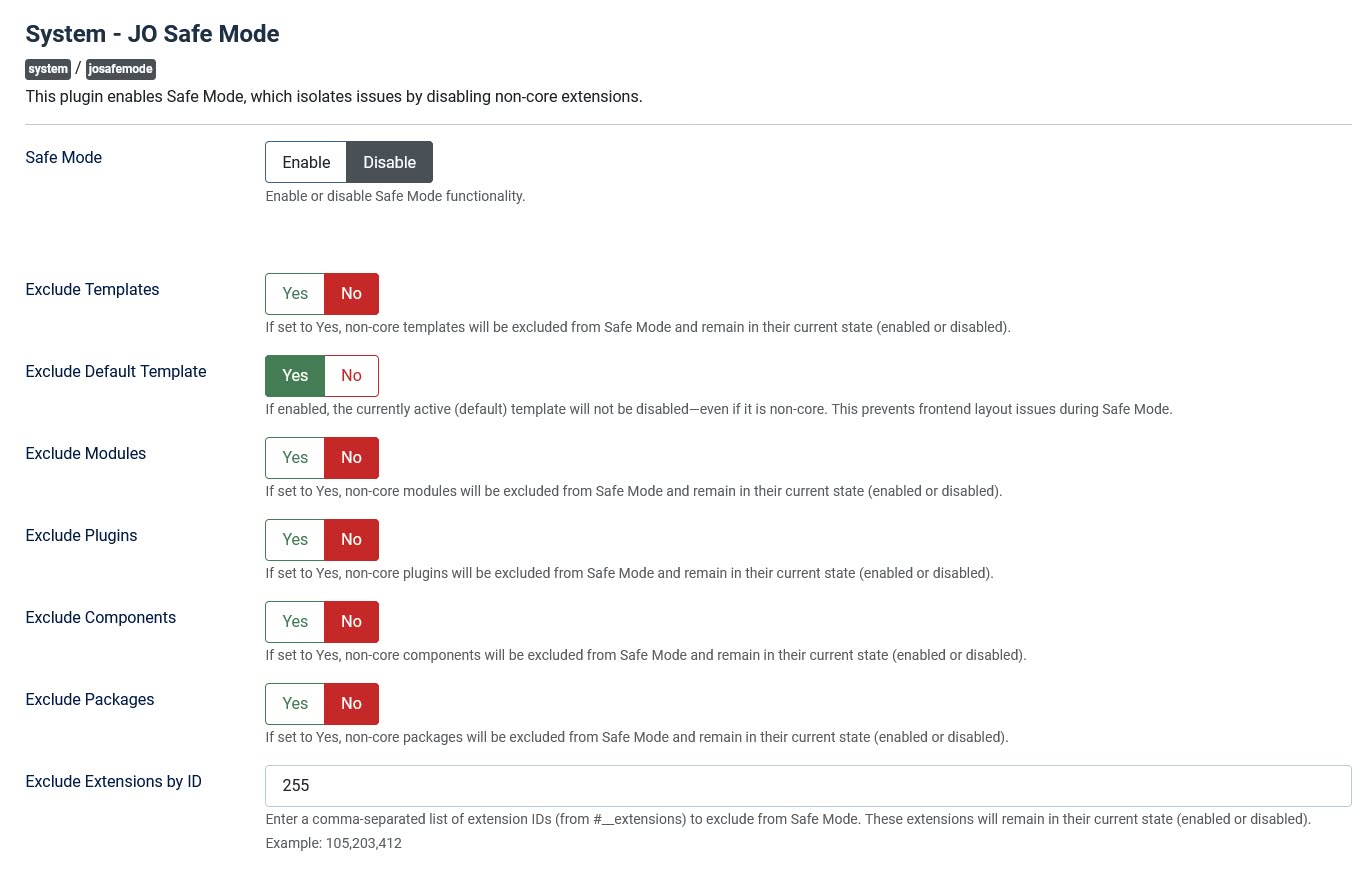
★ Flexible Exclusion Controls: Choose exactly which extension types to exclude from Safe Mode—templates, modules, plugins, components, and packages—with defaults preserving the original behavior (everything is disabled unless explicitly excluded).
★ Protect Your Active Template: Automatically keep your default (active) template enabled—even if it’s third-party—so your frontend never breaks during diagnostics.
★ Exclude by Extension ID: Need to keep a specific extension running? Enter its ID (e.g., 105,203) to exclude it by number, regardless of type or author.
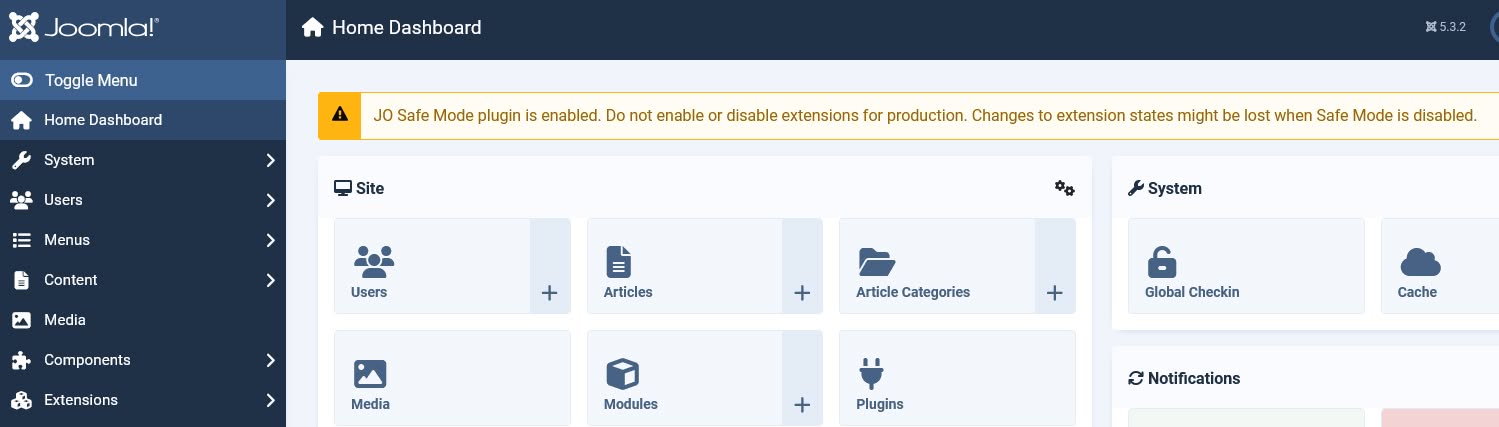
★ Safe Mode Alerts: A clear warning message appears in the admin whenever Safe Mode is active—so you never forget it’s on.
★ Core-Aware Logic: Only non-core extensions (those not authored by “Joomla! Project”) are affected—keeping Joomla’s integrity intact.
★ Self-Protecting Plugin: The JO Safe Mode plugin itself is never disabled, ensuring you can always turn Safe Mode off.
★ Clean & Safe: Creates a backup of extension states before any change, drops backup tables on uninstall, and respects locked or core extensions.
Backend Screenshot:
How This Works:
- Click "Safe Mode: Enable" in the plugin settings.
- All non-core extensions are instantly disabled.
- Test if the problem persists.
- If fixed: Identify the culprit extension.
- If not: It's a core Joomla issue.
- Click "Safe Mode: Disable" to restore the previous configuration.